How to use templates in a pad design
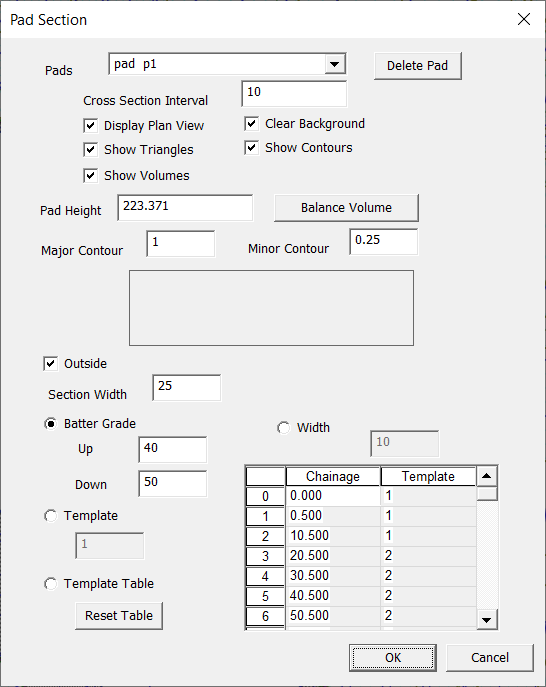
The latest Pad dialog looks like this:
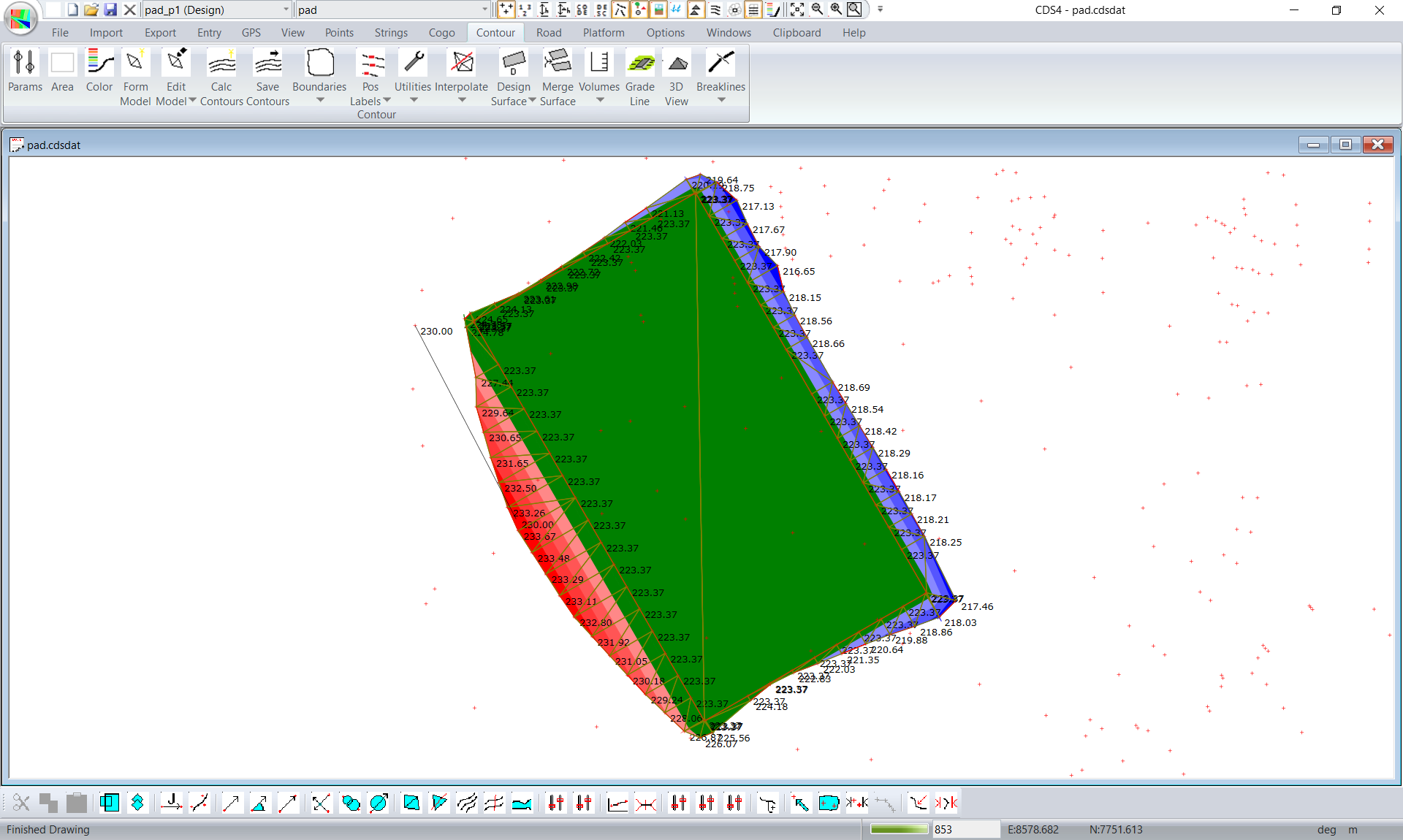
If you look at the bottom of the dialog you can see there are a number of different options to control the batter slopes around the edge of the pad. If you select the "batter grade" option we simply slope towards the natural surface and have a surface such as this:
Selecting the "width" option and we get something like this:
Lets say we wanted something a bit more complicated. Lets say we wanted to put a bench in the batter slope if we have a batter slope that is too deep. We can use the third option and selet the "template" option and lets use template 1. The templates used in the pad design are exactly the same as those used for road design. So you can certainly watch the road design videos as well as the road design documentation. To design our template click on Platform -> Templates.
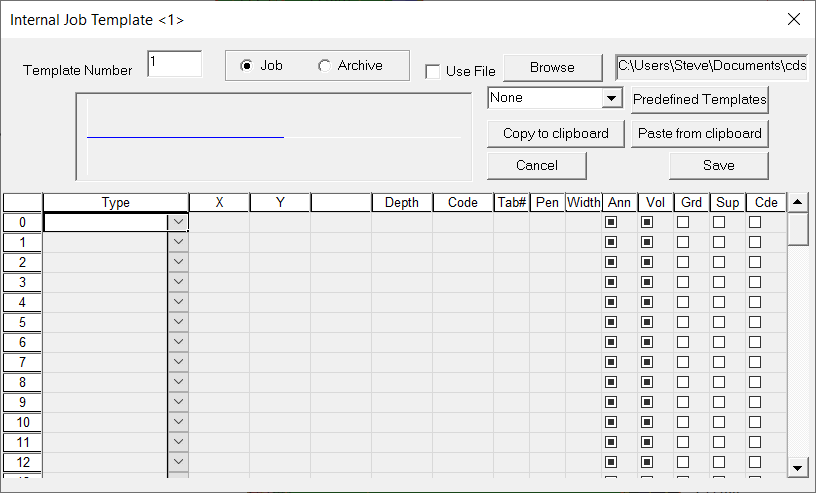
We start with this blank template:
To get started for a beginner it is often easier to start with a predefined template and modify accordingly. In this case we can see the windows combo box which is filled with "None". Select the "Batter Template" and click the "Predefined Templates" button.
|
|
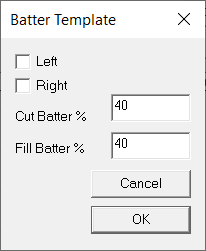
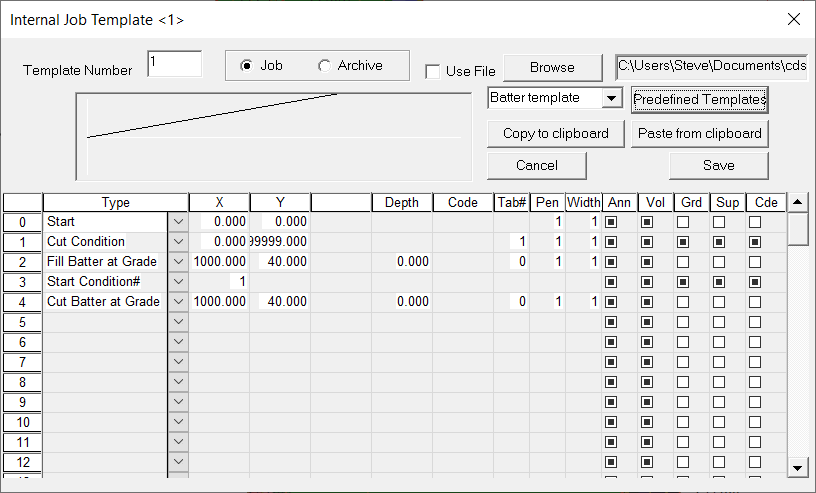
Ignore the left and right tick box's. This is more for road design. Click OK and we have the table filled in as follows:
|
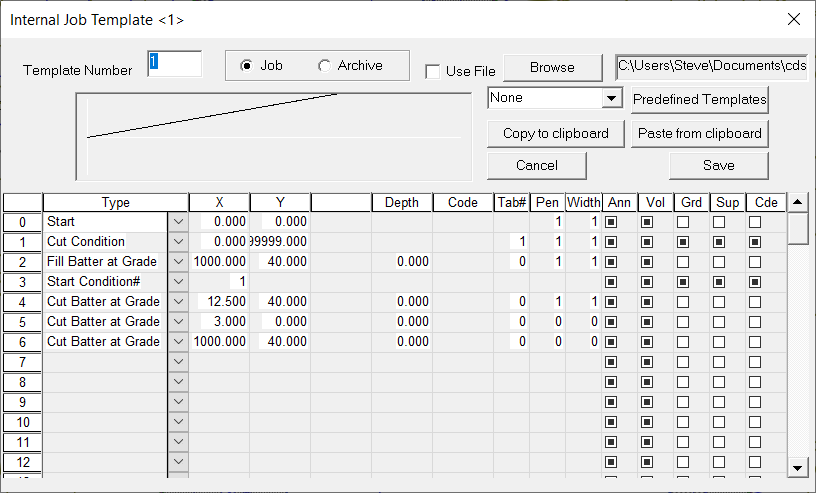
In this case if the cut batter is deeper than 5 meters we want to put in a 3 meter wide berm. So we wish to modify the cut batter. We made the following changes:
If a "cut batter at grade" doesn't intersect with the natural surface. It falls through to the next instruction. Otherwise it stops. And we get this as expected.
You can see that this gives us lots of flexibility.
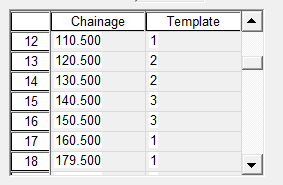
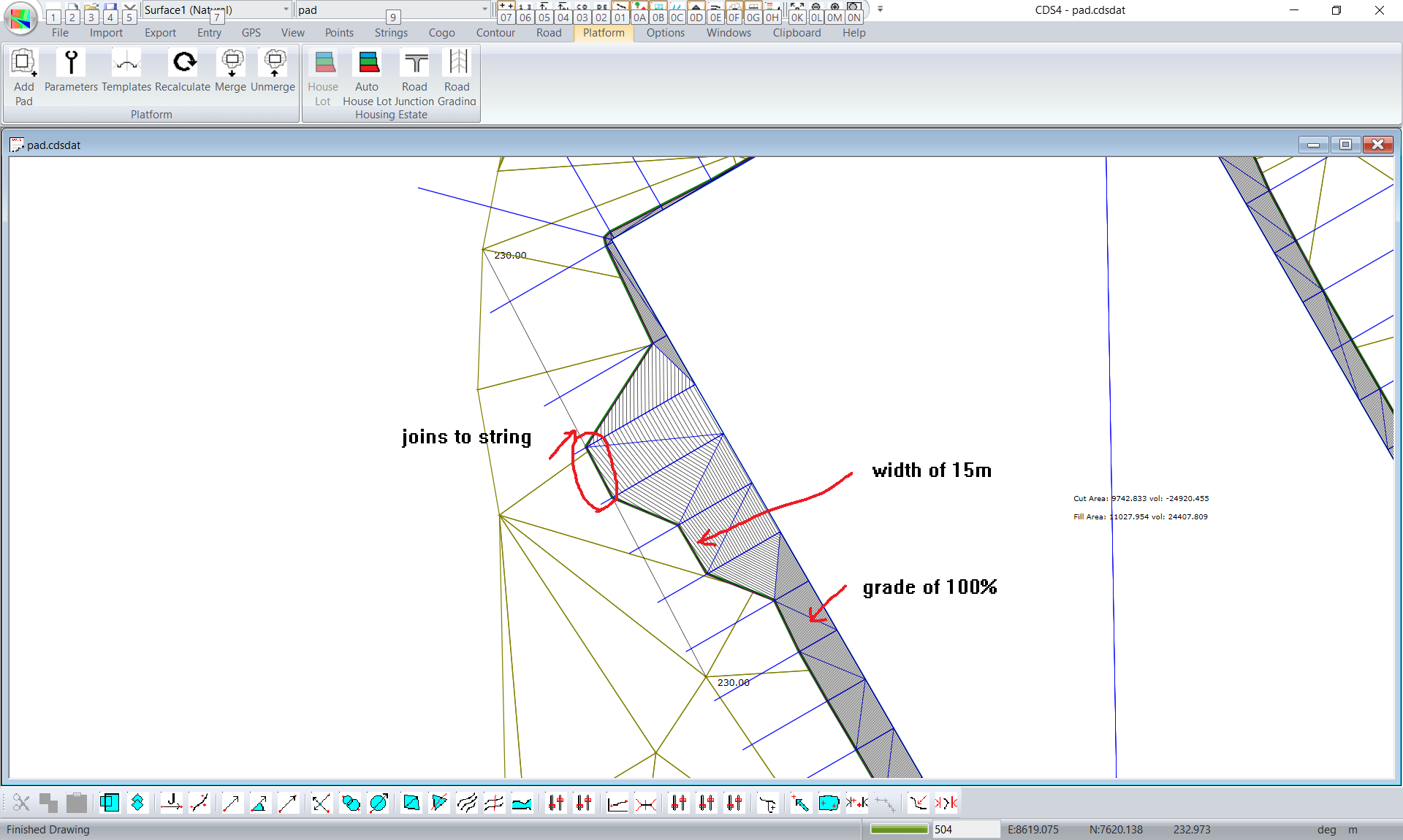
For greater flexibility again click on the "Template Table" option and hit the "reset table" button. We have a list of the chainages and a default template of template number 1. In this case we can duplicate the previous option. However we now have the versatility to use different templates at different positions. In this case we have used 3 templates.
You can see at chainage/distance of 110.5 we have used template 1. We then swap to template 2 and finally to template 3.
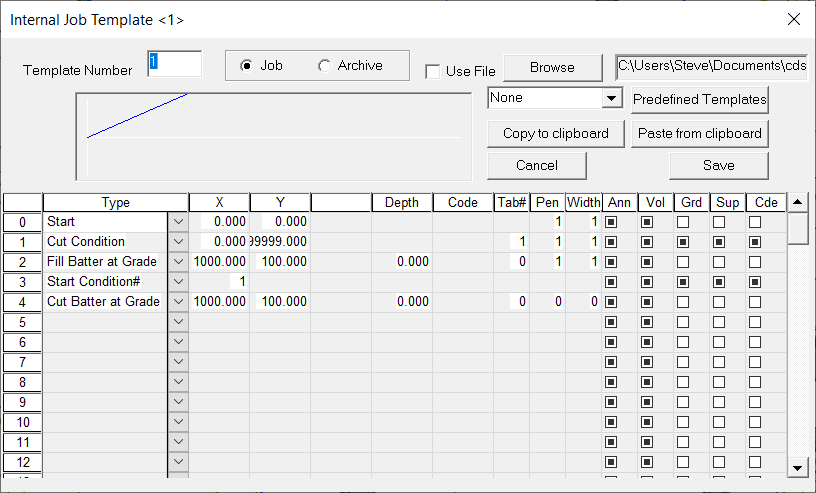
Template 1 simply creates batter slopes up and down of 100%
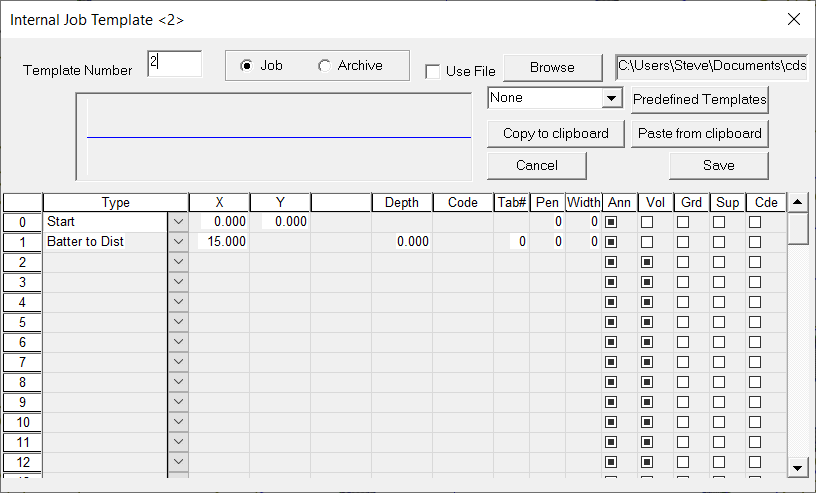
Template 2 simply creates a join at a distance of 15 meters from the edge of the pad.
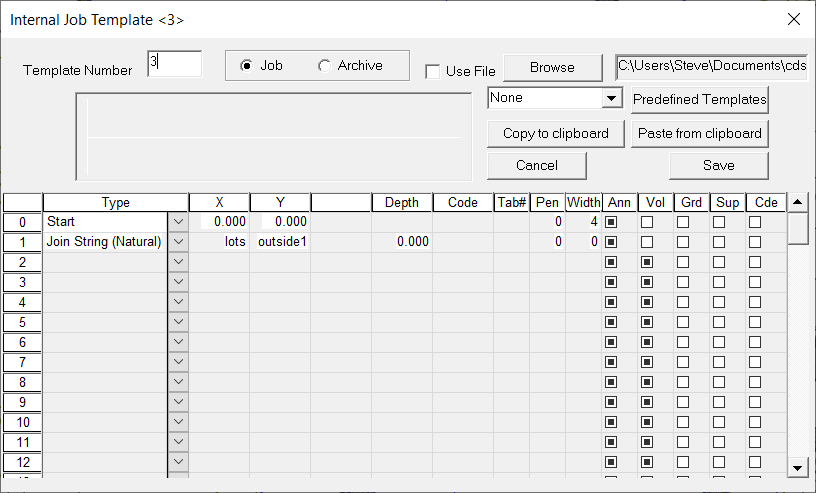
Template 3 joins the edge of the pad to a string. In this case we have defined a string in the "lots" folder directory with an ID of "outside1"
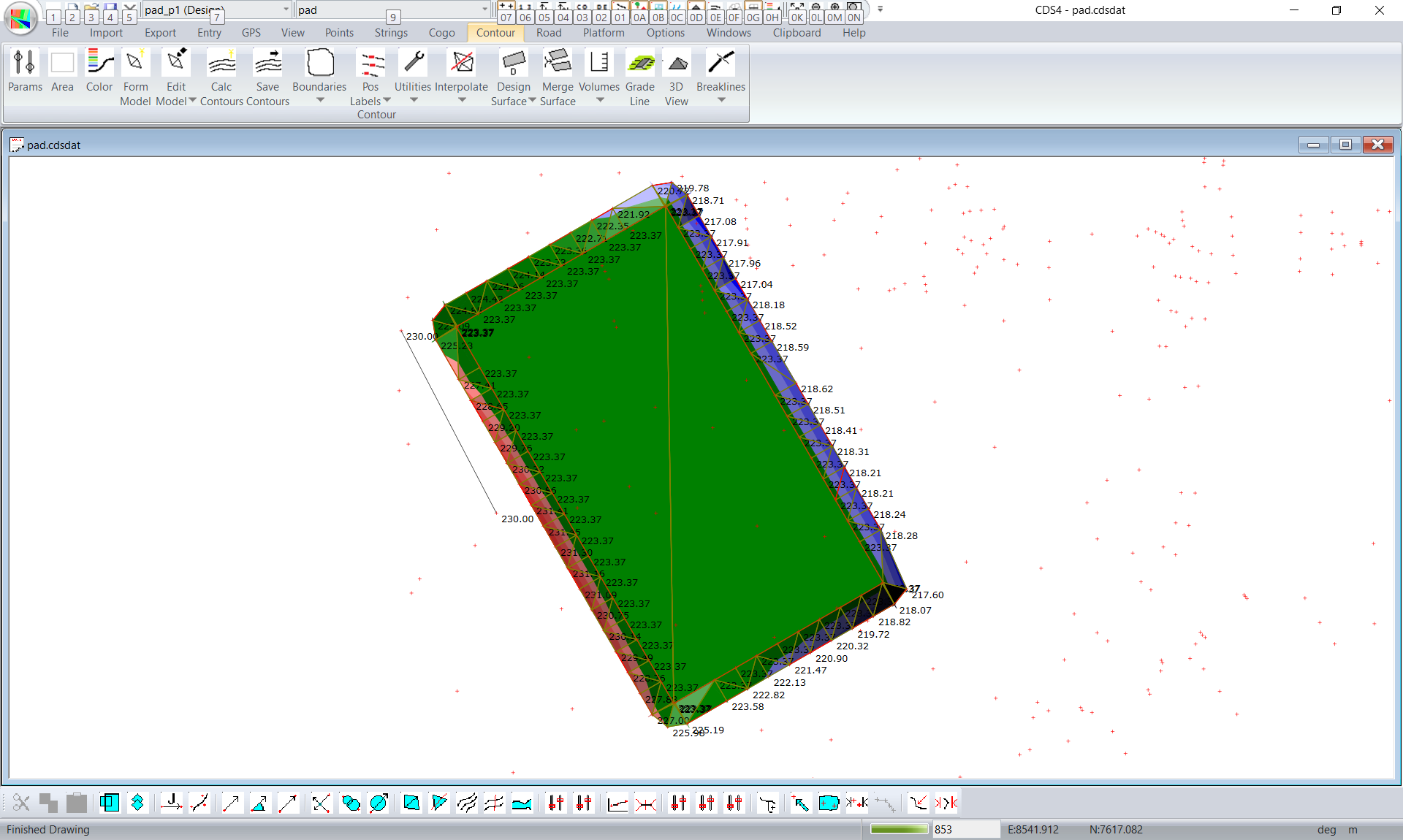
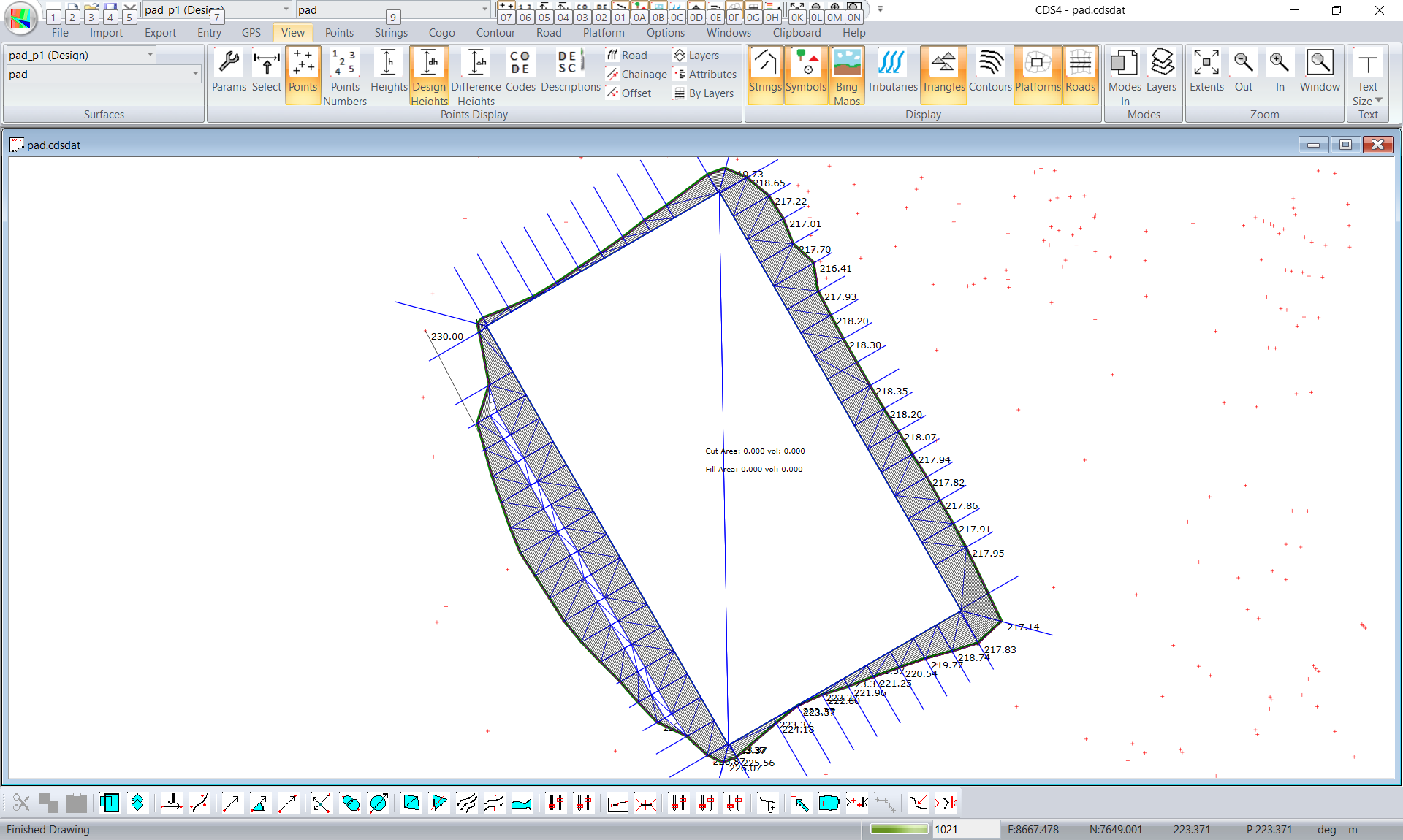
and we get a design like this: